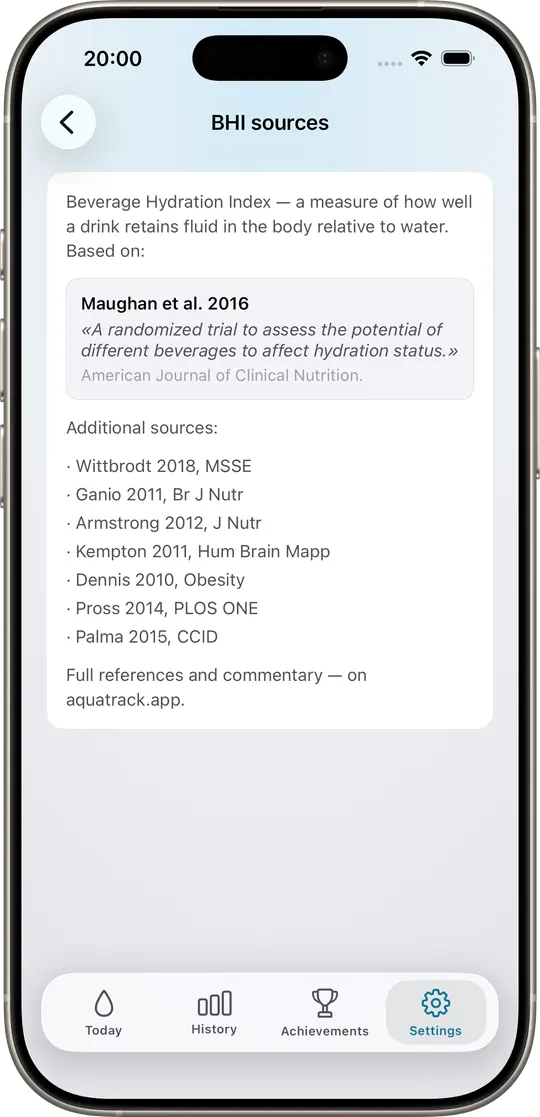
A randomized trial to assess the potential of different beverages to affect hydration status
10.3945/ajcn.115.114769PubMed ↗
AquaTrack calculates your daily fluid target from body weight, climate, and activity — and credits every drink by its peer-reviewed Beverage Hydration Index. Coffee counts. Tea counts. Milk counts more.
They assume 2 liters for everyone. They tell you coffee dehydrates you. They reward streaks instead of accuracy. None of that matches the science.
Regardless of who you are. Body weight, climate, training load — all ignored. A 55 kg writer and a 95 kg cyclist get the same target.
Treated as a dehydrating drink, sometimes subtracted from your total. Not what the controlled trials actually measured.
Plants that grow. Pet that drowns. Cartoon mascots. Gamification dressed up as measurement.
AquaTrack uses three things most water apps don't: a peer-reviewed Beverage Hydration Index from Maughan et al. (American Journal of Clinical Nutrition, 2016), the EFSA 2010 Adequate Intake reference, and the IOM 2004 total-water Adequate Intake. Your personal target is derived from those values, then adjusted for body weight, activity level, and ambient temperature.
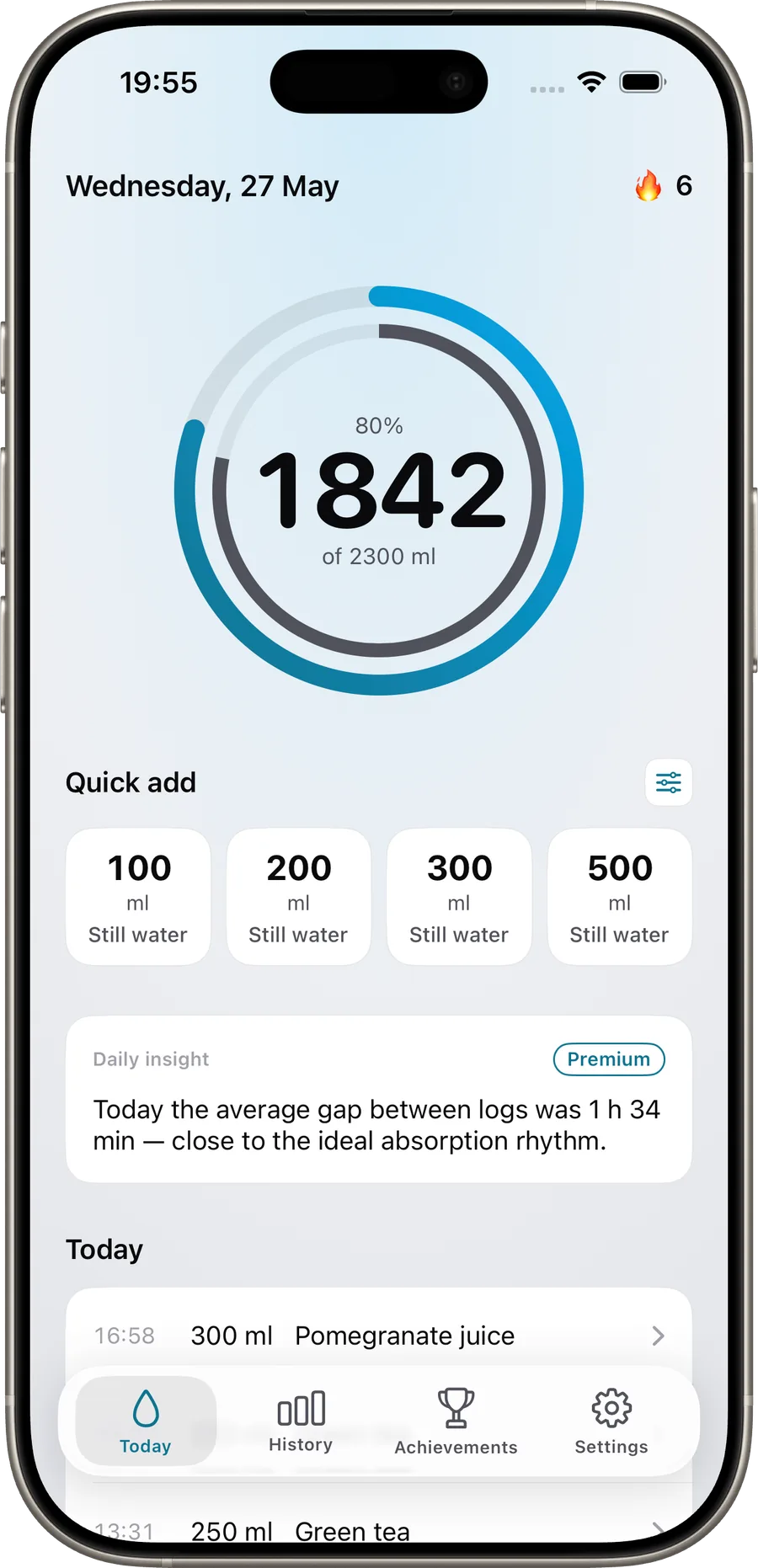
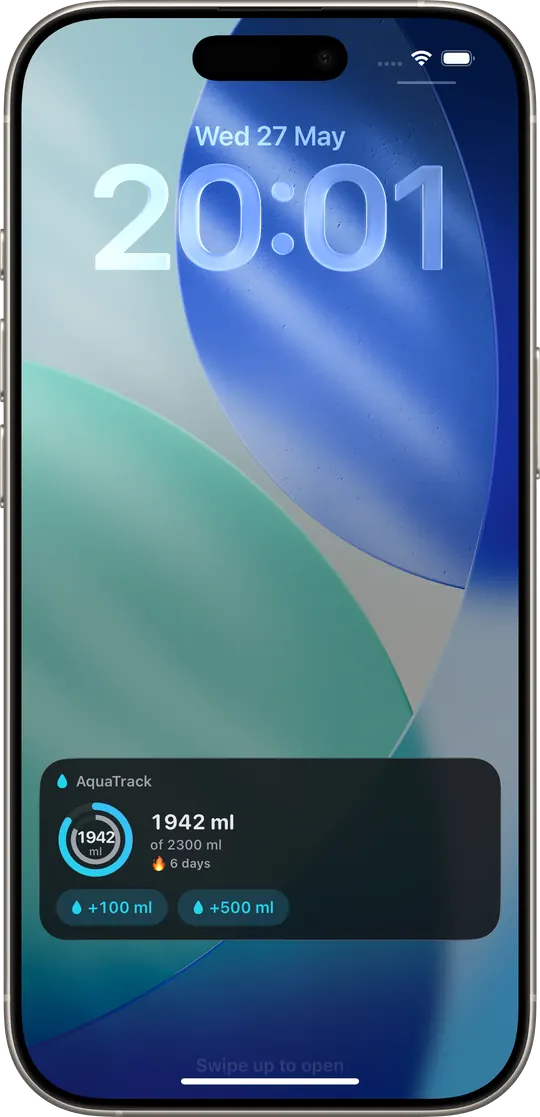
The outer ring shows your real hydration credit, weighted by the BHI of every drink. The inner ring shows raw volume. When they match, you're drinking mostly water. When the outer ring leads, you've earned hydration credit from milk, juice, or an electrolyte mix. When the inner ring leads, you've over-counted a sugary or alcoholic drink. The gap is the signal.
You drank less volume but earned more hydration credit. The ring rewards beverages that hydrate more efficiently — like skimmed milk at BHI 1.58.
The rings sit on top of each other. You drank mostly water, so raw volume and hydration credit are the same number.
You drank plenty of liquid, but a lot of it doesn't credit fully. The gap warns you that volume overstates how hydrated you actually are.
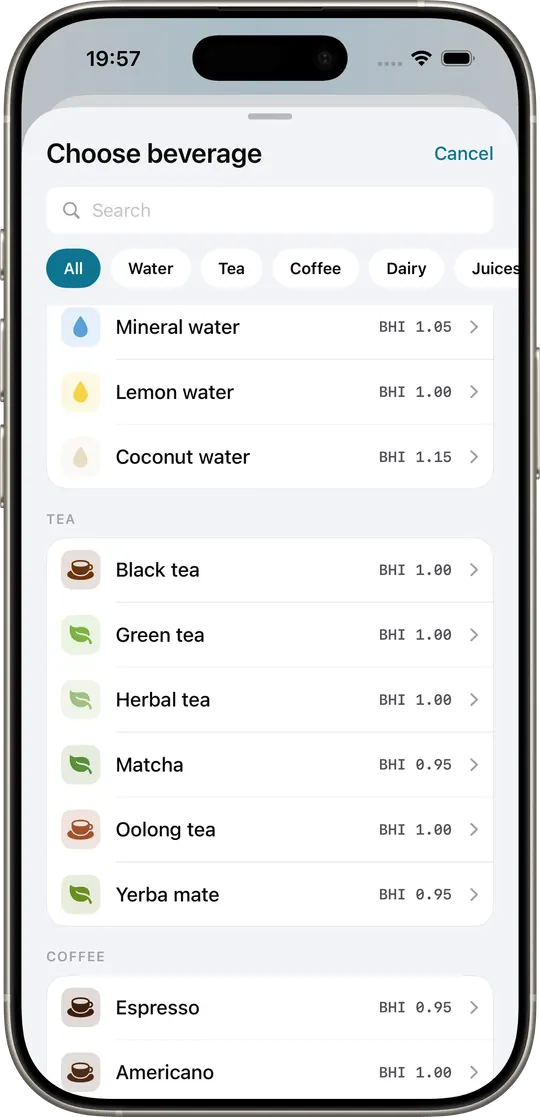
Maughan et al. measured how much of each beverage your body actually retains two hours after drinking one liter. AquaTrack uses these values to credit your daily total. Still water is the reference at 1.00; values above 1.00 hydrate better, values below it hydrate worse.
| Beverage | 2-hour BHI | Significance vs water | Credits | |
|---|---|---|---|---|
| Still water | 1.00 | — reference | 100% | |
| Sparkling water | ≈ 1.00 | Not significant | ~100% | |
| Sports drink | ≈ 1.00 | Not significant | ~100% | |
| Cola / Diet cola | ≈ 1.00 | Not significant | ~100% | |
| Coffee (black) | ≈ 1.00 | Not significant | ~100% | |
| Tea (black, hot or iced) | ≈ 1.00 | Not significant | ~100% | |
| Lager beer | ≈ 1.00 | Not significant (at tested dose) | ~100%, flagged | |
| Orange juice | 1.39 | P < 0.05 | ~139% | |
| Oral rehydration solution | 1.54 ± 0.74 | P < 0.01 | ~154% | |
| Full-fat milk | 1.50 ± 0.58 | P < 0.01 | ~150% | |
| Skimmed milk | 1.58 ± 0.60 | P < 0.01 | ~158% |
Source: Maughan RJ, Watson P, Cordery PAA, Walsh NP, Oliver SJ, Dolci A, Rodriguez-Sanchez N, Galloway SDR. A randomized trial to assess the potential of different beverages to affect hydration status: development of a beverage hydration index. Am J Clin Nutr 2016;103:717–23. DOI: 10.3945/ajcn.115.114769. The paper publishes precise 2-hour BHI means for ORS (1.54 ± 0.74), full-fat milk (1.50 ± 0.58), skimmed milk (1.58 ± 0.60), and orange juice (≈ 1.39 derived from the published mean difference of 0.39 vs water). The other nine beverages were not statistically different from still water at 2 h. AquaTrack applies the published values verbatim and uses 1.00 for the non-significant beverages.
Same physics, in your pocket.

Five quick questions for a personalized estimate — then AquaTrack tracks it for you, automatically, and credits every drink by how much it hydrates.
— L
— ml/day
AquaTrack sets this target for you and adjusts it every day — by weight, weather, and activity — and credits every drink by how much it actually hydrates.
An estimate, not medical advice. Targets are clamped to 1.5–5 L; a result near those bounds, or any condition affecting fluid or sodium balance, warrants a check with a healthcare professional.
Computed from your weight, climate zone, and activity level, anchored to EFSA 2010 and IOM 2004.
Every drink is credited by its peer-reviewed hydration index, not by raw volume.
Outer ring is real hydration credit. Inner ring is raw volume. The gap tells you what your day really looked like.
Reads your weight, workouts, and ambient context; writes Dietary Water back to Apple Health.
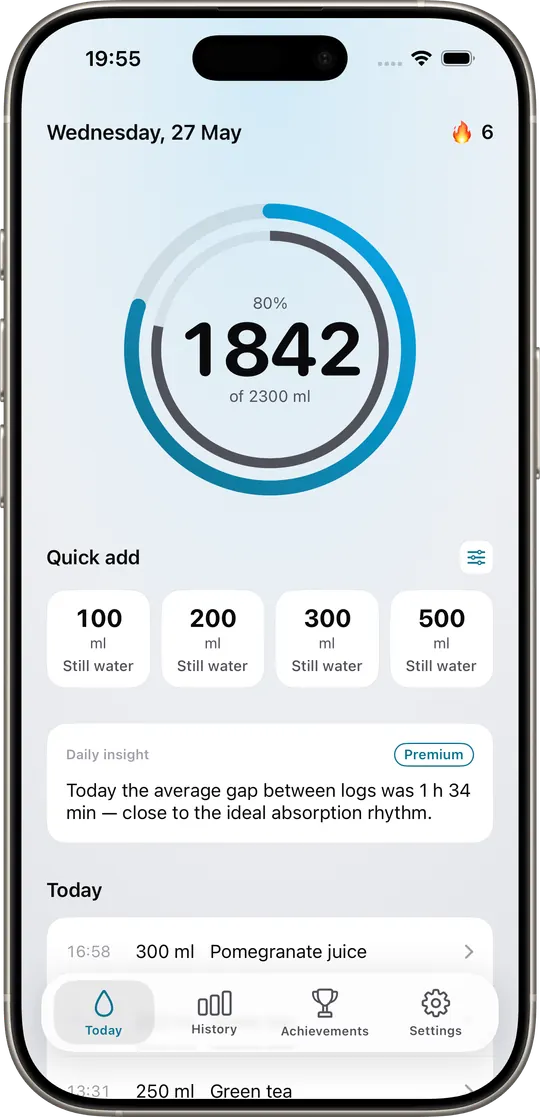
Coffee, tea, milk variants, juices, ORS, electrolyte mixes — each with its published BHI.
Your target rises with ambient temperature and humidity, drawn from WeatherKit.
Detected via HealthKit; added to your target proportional to duration and effort, not as a flat bonus.
CSV export of every logged drink, BHI applied, daily totals — for the people who want their own dashboards.
Eight screens, no decoration. Eight places where measurement, not motivation, does the work.
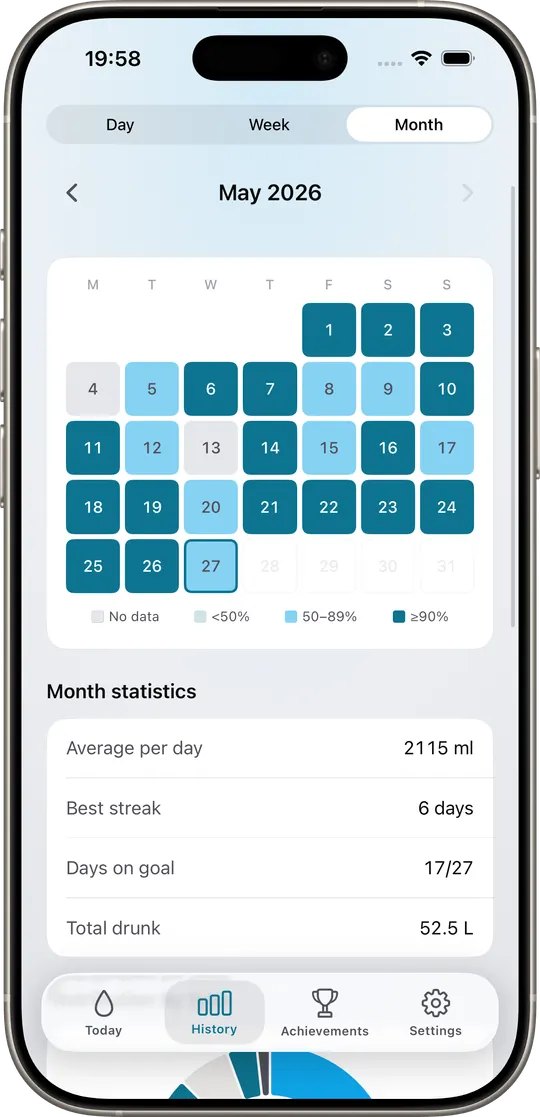
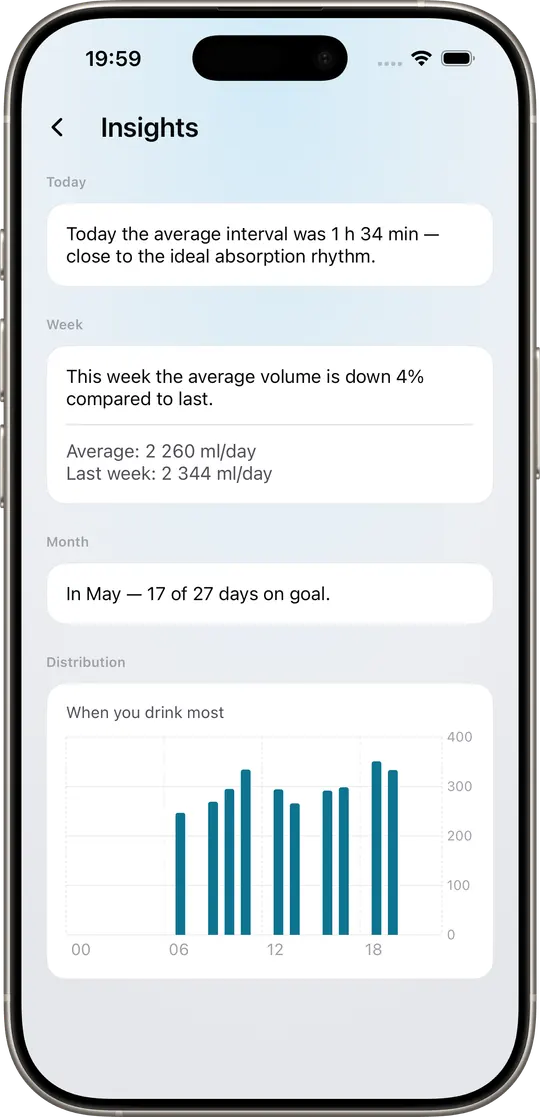
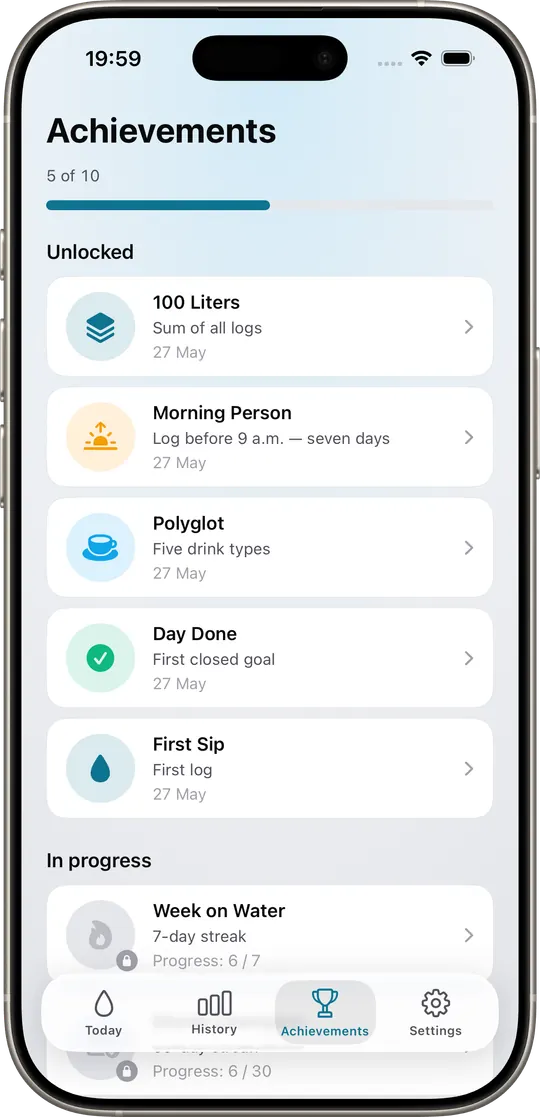
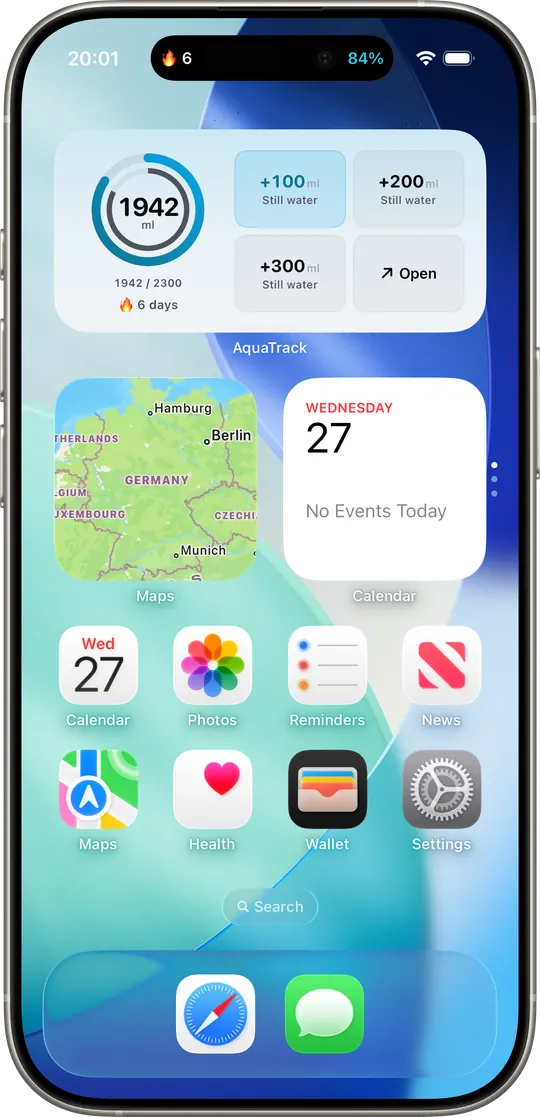
AquaTrack reads from and writes to Apple Health on-device. No analytics SDKs, no third-party trackers, no account required. Apple's App Review Guidelines (5.1.3) prohibit using HealthKit data for advertising or selling it to data brokers — AquaTrack follows that rule and goes further: there is no AquaTrack server that ever sees your hydration data.
“Information that you choose to share with apps through HealthKit may not be used for advertising, marketing, or sold to data brokers.” — Apple Health Privacy Overview, May 2023
I'm Pavel. I built AquaTrack because every other water tracker insulted me — fixed goals, cartoon mascots, no methodology, no respect for the user. AquaTrack is what I wanted on my own home screen. I'm shipping it from Dnipro, posting the changelog on X, and reading every email that lands at [email protected]. If something in the science is wrong, tell me. I will fix it in the next update.
Three honest, labeled placeholders. They will be replaced with verified quotes from real beta testers — by name and city — before public launch.
“The methodology screen sold me. I sent the DOI to my GP.”
“First water app I have not deleted in a week. It treats coffee like coffee, not like poison.”
“The dual ring finally explains why my old app's goal felt nonsensical on training days.”
A peer-reviewed measure of how much of a beverage your body retains two hours after drinking 1 L of it, calibrated against still water as 1.00. Published in Maughan et al., American Journal of Clinical Nutrition, 2016 (DOI: 10.3945/ajcn.115.114769). AquaTrack uses the published values verbatim.
It starts from the EFSA 2010 reference Adequate Intake (2.5 L/day for men, 2.0 L/day for women; the IOM 2004 figures of 3.7 L and 2.7 L are total water and include water from food). It then adjusts for your body weight, activity level (read from HealthKit workouts), and ambient temperature (read from WeatherKit when you grant location).
Yes. Core tracking, the dual ring, HealthKit sync, and the BHI library are free forever. Premium ($29.99/year, $4.99/month, or $59.99 lifetime) unlocks advanced analytics, CSV export, multi-device history, and future advanced metrics. There is a 7-day free trial.
Refunds for App Store subscriptions are handled by Apple via reportaproblem.apple.com — Apple processes them at their discretion. The 7-day free trial is the no-risk way to evaluate Premium first.
Yes — two-way. AquaTrack reads weight, workouts, and (optionally) ambient context, and writes the "Dietary Water" sample type back to Apple Health, so the data shows up in the Health app and is available to any other app you grant access to.
Hydration data stays on your device by default. No analytics SDKs. No third-party trackers. No account required. Per Apple's App Review Guidelines 5.1.3 and Apple's published Health Privacy Overview (May 2023), HealthKit data may not be used for advertising or sold to data brokers; AquaTrack abides and goes further by not running a server that ever sees your data.
No, and there are no plans for one. AquaTrack is iOS-only because HealthKit, WeatherKit, and Apple Watch are the spine of the product.
Adults who already track other things — workouts, macros, sleep — and want hydration measured to the same standard. It is not designed for children or as a casual habit tracker.
Those apps log volume and reward streaks. AquaTrack also weights every drink by its published Beverage Hydration Index, derives your daily target from validated reference intakes (not a fixed 2 L), and exposes the formula on a dedicated methodology screen.
Yes. The BHI table is content, not code — updated in-app via remote configuration. New peer-reviewed papers (e.g., subsequent BHI studies in older adults or with electrolyte solutions) will be added with the DOI shown inline.
Free to download. Seven-day trial of Premium. $29.99/year, $4.99/month, or $59.99 once.